

















































From precise chart creation to advanced imaging, MMI offers a comprehensive suite of tools for Human Design professionals and students. Feature availability depends on your selected edition.
Maia Mechanics Imaging (MMI)
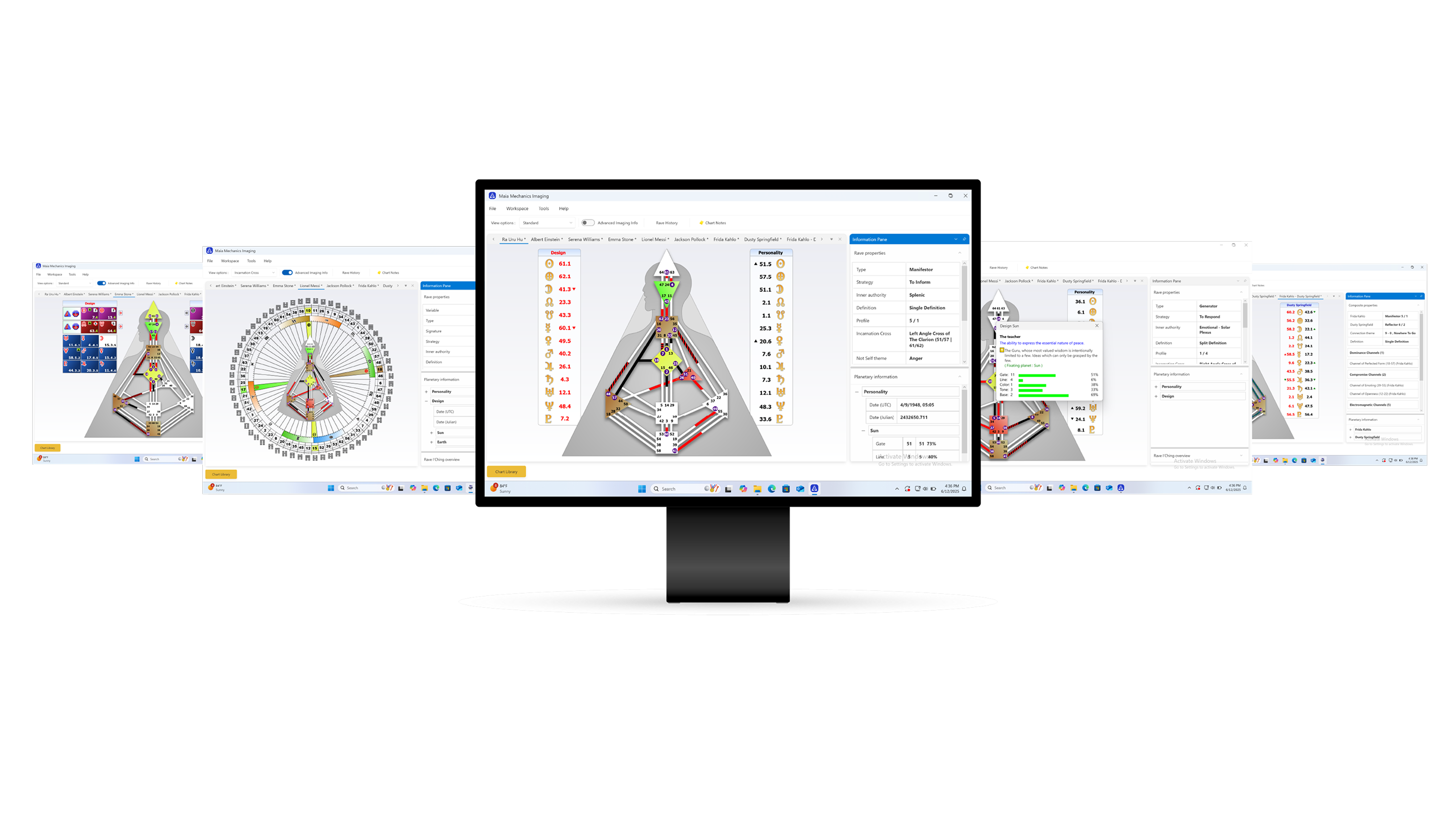

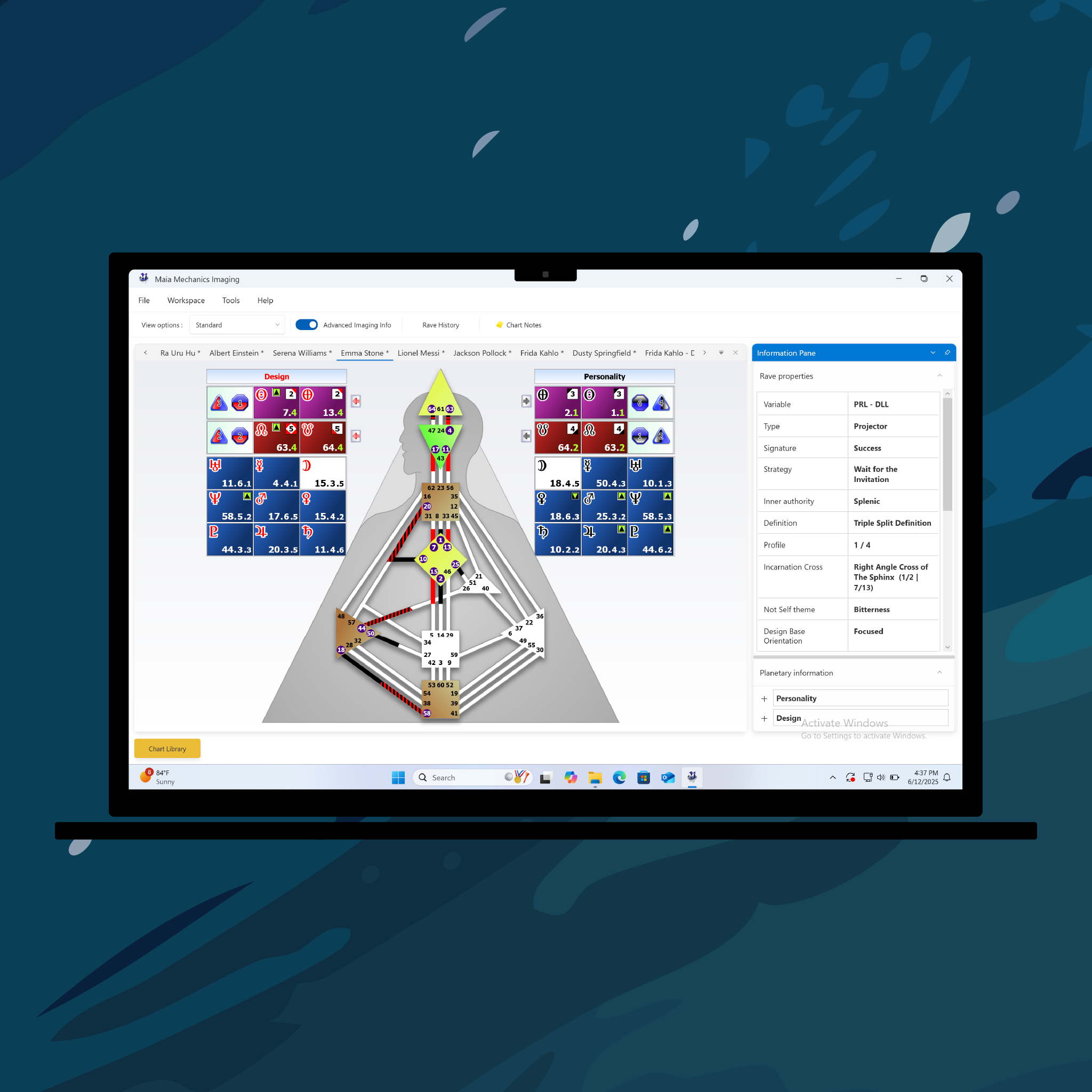





Maia Mechanics Imaging (MMI)
Download the trial. Choose your edition. Add optional modules.

Basic Edition
$89.00

Student Edition
$299.00

Professional Edition
$499.00

Professional Penta Edition
$599.00

Business Analysis Edition
$1,199.00


Modules require Student Edition or higher.
Maia Mechanics Imaging (MMI)
Sale price$89.00
Already Purchased MMI in the Past?
We’ve rebuilt the software to ensure compatibility with modern devices, and we’ve preserved your previous purchases. To access your license keys, download the new app, and upgrade editions:
 Login
LoginAbout Maia Mechanics Imaging (MMI)
The original desktop software for Human Design analysis, trusted by professionals, students, and enthusiasts since 2004. Now fully rebuilt from the ground up.
Version
MMI 3.0 - Rebuilt 2025 Edition
Platform
Windows (Mac via virtualization)
Installation
Downloadable desktop application – works fully offline
Licensing
One-time purchase, activation key required
Editions
Basic, Student, Professional, Pro Penta, BG5
Modules
Advanced Imaging (MMAI), DreamRave
Languages
English, German, French, Spanish
Chart Types
Individual, Connection, Cycle, Transit, Penta, DreamRave, Ephemeris
Printing
High-resolution export in multiple layouts
Accuracy
Base-level calculation (Color, Tone, Base)
Trial
Free 7-day trial (full Professional features)

Designed for Ra Uru Hu
Use the official Human Design software created and used by its founder.

Offline Access
Install on Windows and use it anytime—no internet connection needed.

One-Time Payment
Pay once, own it forever. No subscriptions or renewal fees.

Multilingual Support
Available in English, German, French, and Spanish.

Try MMI Free
Explore the power of MMI with a 7-day free trial. Download MMI for Windows and experience Professional Edition capabilities before choosing your license.
7-Day Free Trial
Features & Editions

Free
FreeBasic
$89Student
$299Professional
$499Professional Penta
$599Business Analysis
$1,199Chart Creation
Creating Rave Charts
Creating Connection Charts
Creating Cycle Charts
Creating Transit Charts
Creating Transit Watch Chart sequences
Creating Family Penta Charts
Creating BG5 Business Analysis Penta Charts
Information Display
Sub Line Planetary Data
Rave I'Ching Support
Bodygraph highlight support
Chart Statistics
Printing & Imaging
Printing Charts
Exporting Chart Images
Chart Management
Importing Charts
Exporting Charts
Sending Charts by Email
Miscellaneous
Configurable User Preferences
Rave Time
Rave Ephemeris Browser
Career Design Language
View all
View less

MMAI - Advanced Imaging Extension
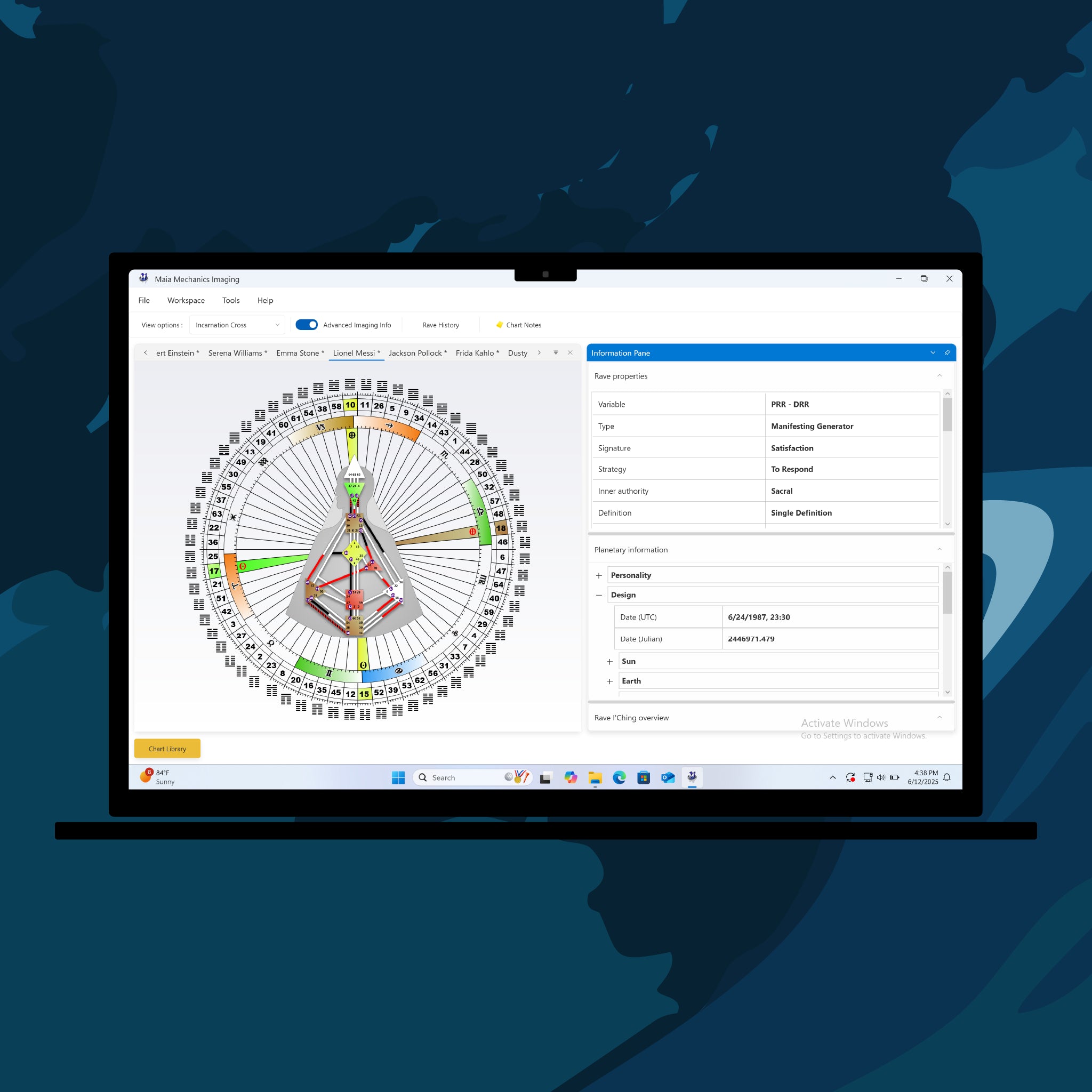
Unlock the substructure of a chart in the “box” view, and insights used in Primary Health System and Rave Psychology. View Color, Tone, and Base values with their keynotes, see the “Magic Square” used in Holistic Analysis, and display the Variable arrows.
Requires Student Edition or higher.

MMI DreamRave Extension
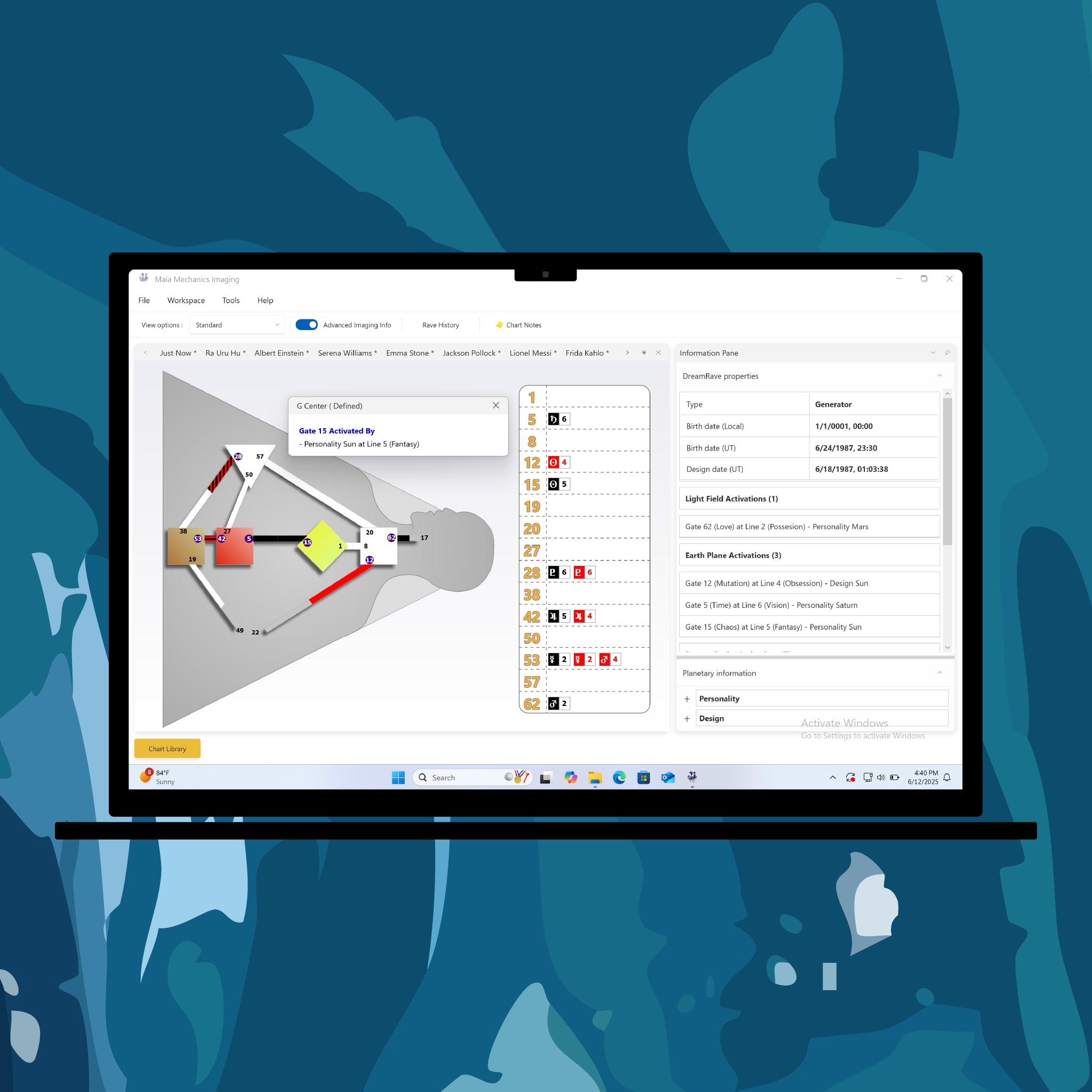
Explore the mechanics of the dream state. The DreamRave module lets you generate DreamRave charts and view corresponding keynotes. This tool is designed for those studying or working with sleep-state and unconscious mechanics in Human Design.
Requires Student Edition or higher.
Explore the Full Power of MMI
Chart Creation & Accuracy
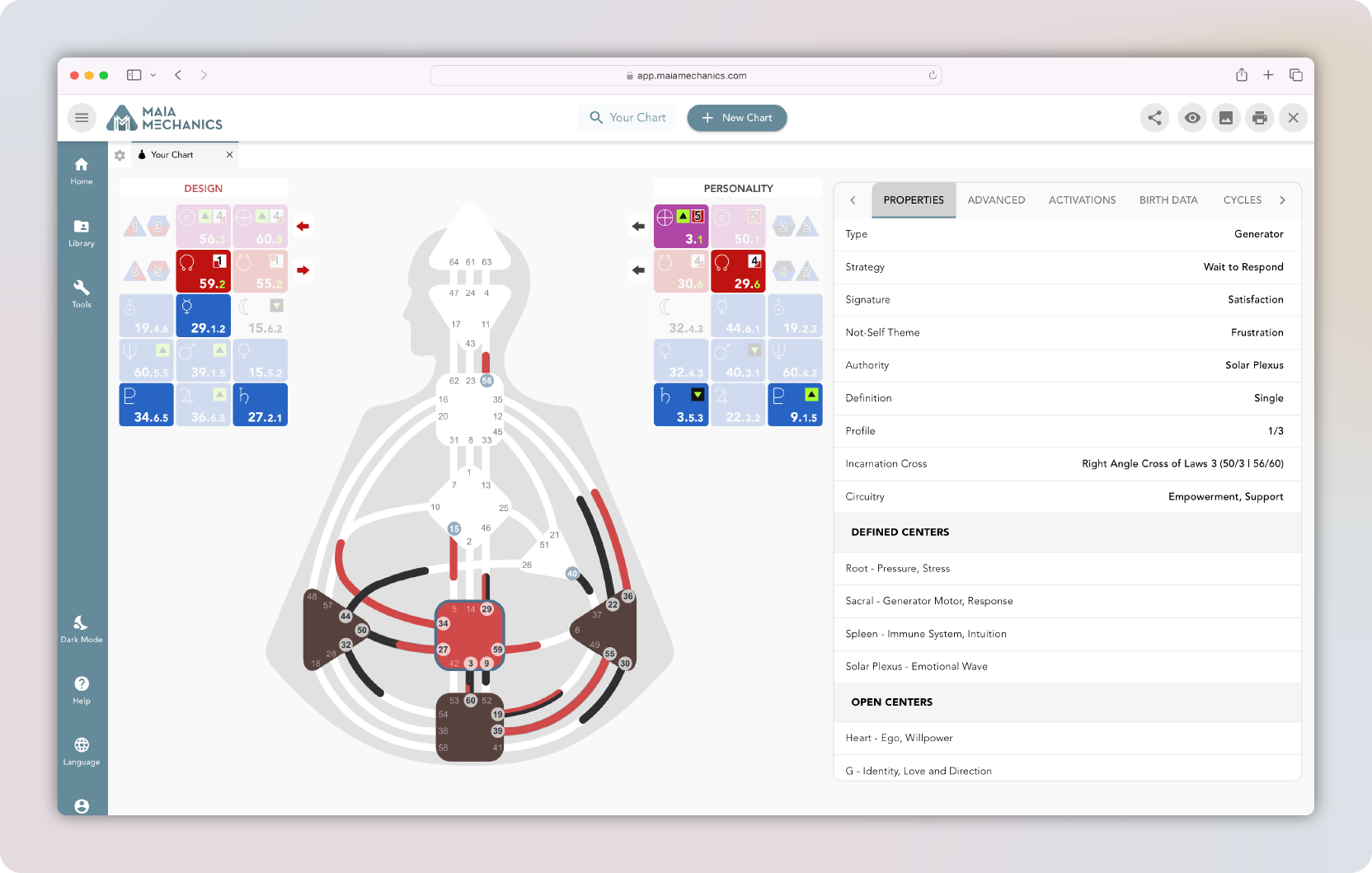
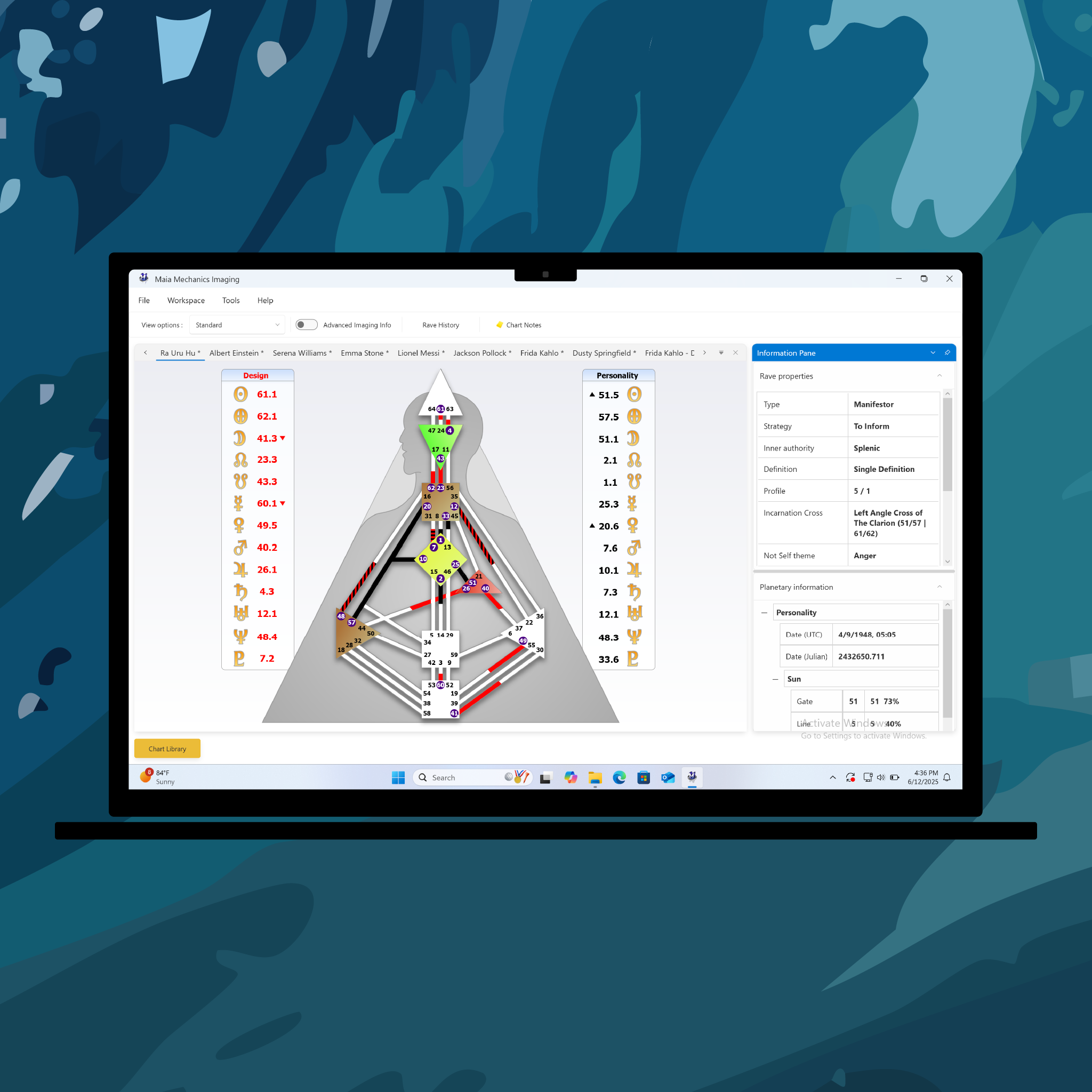
Create charts in seconds using an entry form and built-in Find Place tool for birth locations.
MMI uses the JPL planetary database to generate highly accurate charts—right down to the Base level.
Chart Types: Individual, Partnership, Cycle, Penta & More
MMI supports a full range of chart types used in Human Design analysis:
- Personal Charts
- Connection/Composite Charts
- Transit Charts
- Cycle Charts including Saturn Returns, Kiron Returns, Uranus Oppositions, Solar & Lunar Returns
- Penta Charts
- DreamRave Charts
Rave I’Ching Integration
Click on any activation to see Rave I’Ching analysis directly in the app. A complete chart-specific I’Ching Overview is also available for reference and printing.
Planetary Data & Fixing
View comprehensive planetary details including Gate, Line, Tone, Color, Base, Longitude, and Fixing properties, all organized in an intuitive property grid.
Multiple View Modes
Switch between chart layouts like Split Personality/Design, Mandala View, and Incarnation Cross View for flexible analysis. Additionally, enable Advanced View and DreamRave View when modules are installed.
High-Quality Imaging & Printing
Print or export high-resolution BodyGraphs as images or PDFs. Choose from a wide range of export options.
Chart Library & Management
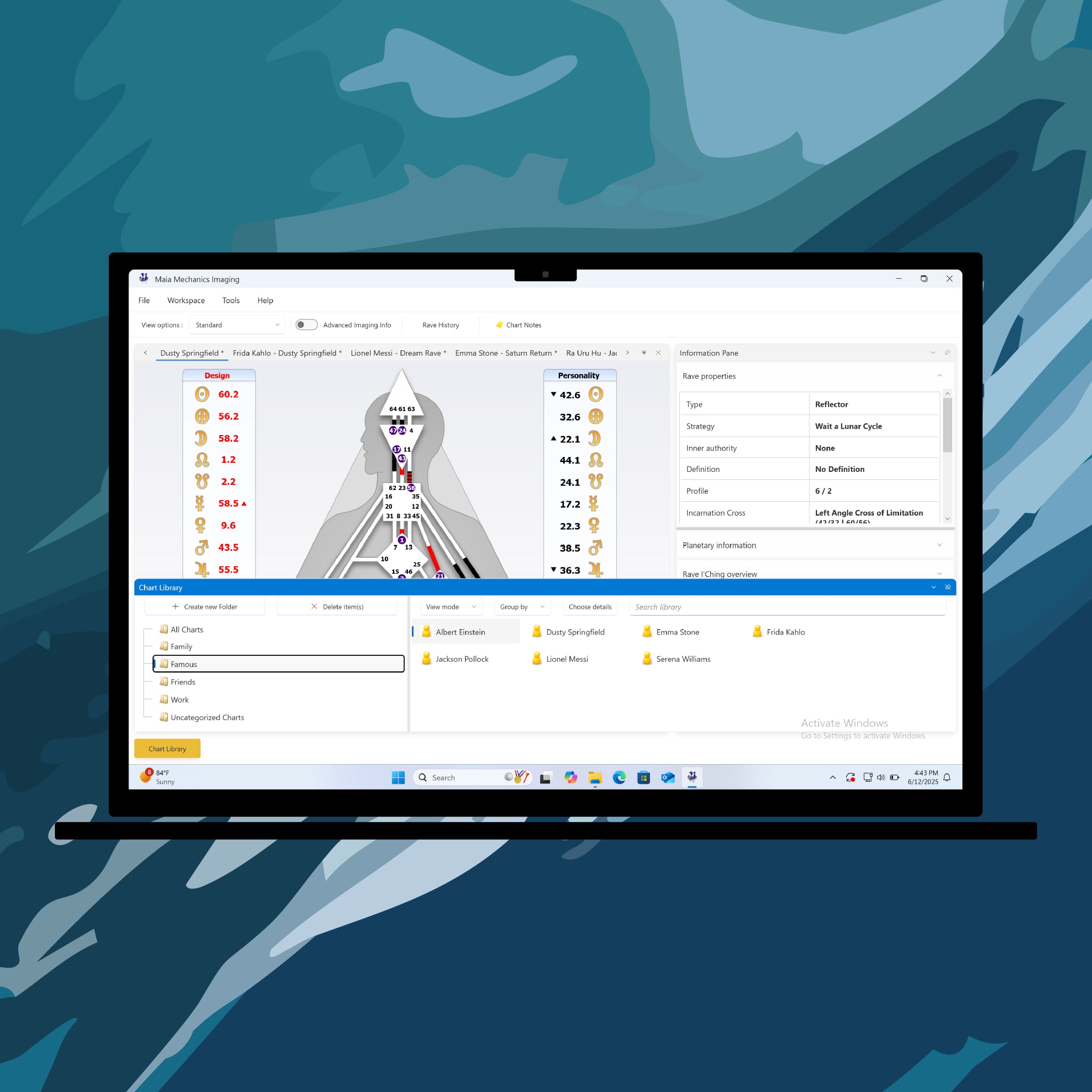
Organize your work with a built-in chart library, folder system, import/export tools, and direct email sharing from inside MMI.
Chart Comments & Notes
Add formatted notes directly to any chart using the built-in rich text editor.
What analysis tools are included?
MMI features full planetary calculations, Rave I’Ching descriptions, sub-line data (color, tone, base), and a Rave Ephemeris for tracking planetary movement. r purchases there as well.
Information Pods & Quick Access
Relevant chart data is grouped in collapsible “pods” with contextual popups to summarize properties.
Rave Ephemeris Browser
Track planetary movement in 2-hour intervals to monitor Line changes and cusps.
Transit Watch
Generate a sequence of Transit Charts over a set date range—also available for composite charts.
Rave Time Widget
Keep the Just Now chart on your desktop at all times with the lightweight Rave Time app.
Multilingual Support
Switch the app interface between English, German, French, and Spanish.
The Original Human Design Software
Explore the power of MMI, now rebuilt for modern devices.
Questions about MMI?
We've got you covered.
What can I do with the free trial version?
The free trial unlocks all features of the Professional Edition—including chart types, properties, printing, chart library, and view modes—for 7 days.
Can I use MMI on a Mac?
MMI runs on Windows only. Mac users can run it via virtualization tools like Parallels, VMware Fusion, VirtualBox, or Bootcamp.
Will MMI run on the latest Windows hardware?
Yes—MMI has been completely rebuilt from the ground up and released in 2025 to ensure full compatibility with modern Windows systems.
If you’ve used older versions of MMI in the past, you’ll find that the new version runs more smoothly and reliably on today’s devices.
How do I access my activation key after purchase?
After purchase, download links and activation keys are available here. You will also receive an email with instructions to access your download link and activation key.
How do I upgrade?
Login here and navigate to the Licenses tab. Here you will see the editions you own, and Upgrade buttons will be visible.
After updating, my activation key doesn’t work. What should I do?
If you’ve paid the update fee and received a new activation key but it isn’t working, first double-check that you’ve entered the key exactly as provided. If you’ve already tried all the troubleshooting steps and it still doesn’t activate, please contact our support team. A member of our staff will review your case and help get you set up.
How many devices can I use the app on?
Activation Keys can be installed on 2 devices per edition.
Which editions and extensions are available?
MMI comes in multiple editions—Basic, Student, Professional, Penta, and BG5 Business—plus optional extensions: Advanced Imaging and DreamRave. Choose only what you need.
What chart types does MMI support?
Depending on the edition, you can generate Individual, Connection (Partnership), Transit/Cycle, Family Penta, and BG5 charts. With extension modules installed you can see Advanced Imaging and DreamRave Charts.
What analysis tools are included?
MMI features full planetary calculations, Rave I’Ching descriptions, sub-line data (color, tone, base), and a Rave Ephemeris for tracking planetary movement. r purchases there as well.
What is the BG5 Business Edition, and how do I gain access?
The BG5 Business Edition is available exclusively to students currently enrolled in BG5 training. It includes specialized analytical tools that allow BG5 Consultants to easily create, analyze, and integrate Career and Business Design data.
To access this edition, please contact us directly or send your authorization letter to verify your eligibility for purchase. Learn more about BG5 training at bg5businessinstitute.com.
Can I create custom chart sequences?
Yes—use Transit Watch to generate chart sequences across a date range.
Can I print or export charts?
Absolutely—MMI’s imaging engine lets you print or export images of BodyGraphs in multiple layouts.
Does MMI support multiple languages?
Yes—you can switch between English, German, French, and Spanish directly within the app.
Can I manage and comment on my charts?
MMI includes a chart library with import/export, folder organization, email integration, and a built-in text editor for adding formatted notes.
Is the software offline?
Yes—MMI is a downloadable Windows application that works fully offline, without needing an internet connection.
What are Extension Modules and how do they work?
Extensions like Advanced Imaging and DreamRave add extra analytic layers (e.g., advanced view mode, or dream chart rendering) and require at least the Student Edition or higher.
Does my endowment discount apply?
No, endowment discounts apply primarily to educational material.

Looking for a Web-Based Alternative?
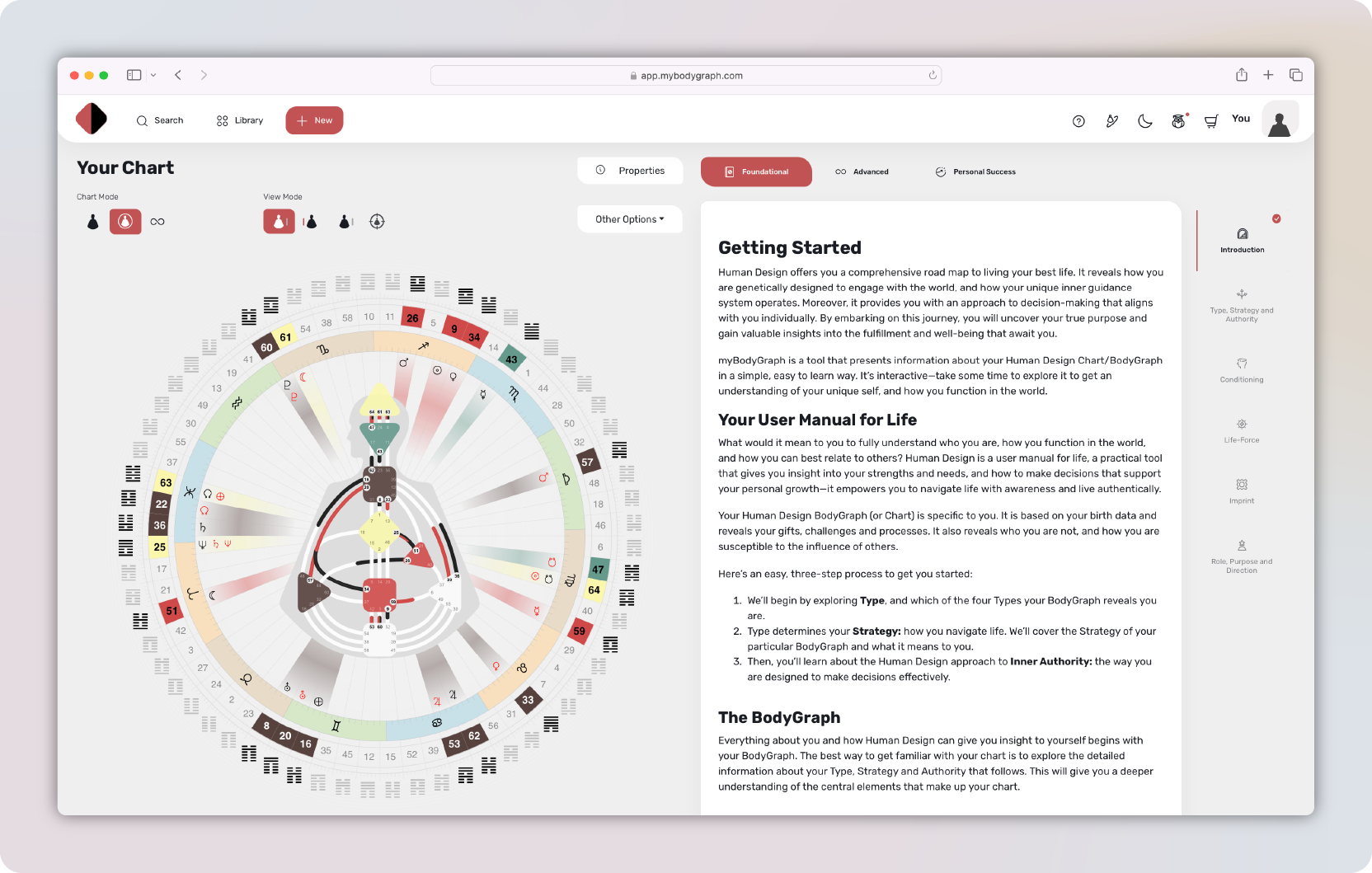
Explore MaiaMechanics.com — our cross-platform, browser-based Human Design software. No downloads, automatic updates, and accessible anywhere.
Why choose MaiaMechanics.com?
🌍 — Works on any device or browser
💳 — Available for a low monthly fee
🗣️ — Supports 13 languages
⏱️ — Includes Birth Time Reliability Score
🎨 — Switch between Classic and Rounded BodyGraph views
🔄 — Automatically updated—no installation required
Both platforms offer free trials—try them out and see which fits your workflow best.
